
Looking for a Napoli kit for Dream League Soccer? This free DLS kit is a simple way to give your team the recognizable look of the Italian club. The design uses Napoli’s distinctive blue identity and is prepared in PNG format at 512×512 resolution for easy use in Dream League Soccer.
You can import the kit through its URL instead of creating the uniform manually. Just copy and paste the kit link into the appropriate section of DLS, confirm the import, and your new football uniform will be ready to use.

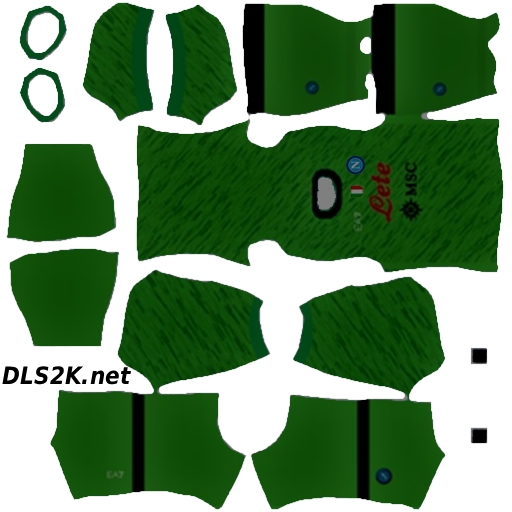
Napoli Dream League Soccer Kit Features
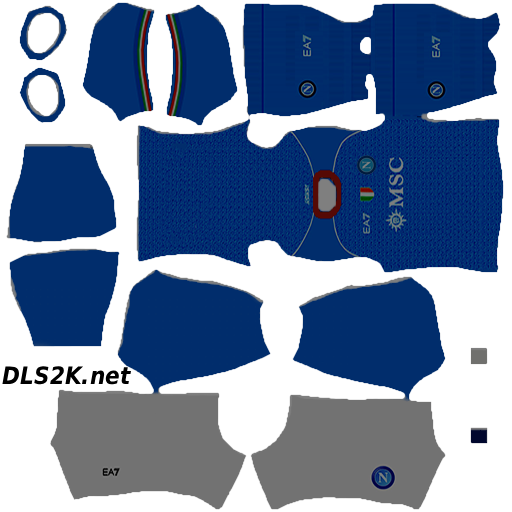
The Napoli Dream League Soccer kit is designed to keep the team’s visual identity clear while providing a practical option for DLS customization. The blue color gives the uniform its familiar appearance, while the club crest adds an important finishing detail.
The kit includes:
- 512×512 resolution
- PNG format
- High-quality graphics
- Napoli-inspired blue color scheme
- Napoli crest and logo
- Home kit design
- Away kit when available
- Third kit when available
- Goalkeeper kit when available
- Suitable for DLS kit customization
- Easy URL-based installation
- Free kit download
The 512×512 size provides a good balance between image quality and practical use in Dream League Soccer. With a properly prepared PNG kit, details such as the crest and uniform design can remain clear when displayed in the game.
Napoli Home, Away and Goalkeeper Kits
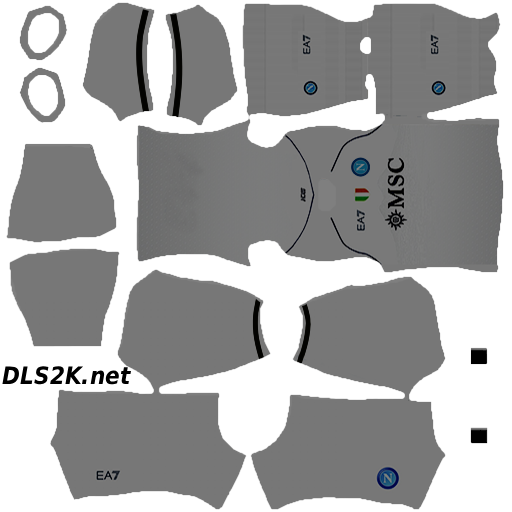
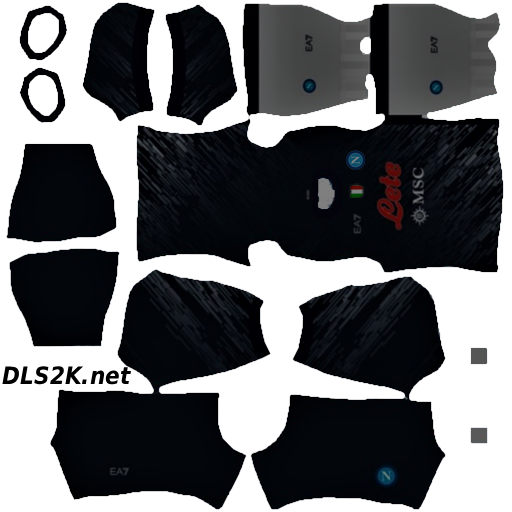
Using a complete set of Napoli uniforms can make your customized DLS team look more consistent. The home kit provides the familiar blue appearance, while the away and third kits offer alternatives when you want to change your team’s look.
A goalkeeper kit can also be used when available, giving the squad a dedicated uniform for the goalkeeper rather than relying on a standard design.
The Napoli crest is another important part of the overall appearance. Combined with the club’s recognizable colors, it helps the uniform stand out during matches while keeping the design focused on the football club.
How to Import the Napoli Kit into Dream League Soccer
Importing a DLS kit is quick once you have the correct kit URL.
- Open Dream League Soccer on your device.
- Go to My Club.
- Select Customize Team.
- Open Edit Kit.
- Choose the option to download or import a kit.
- Paste the Napoli kit URL into the appropriate field.
- Confirm the import and save the new uniform.
The exact wording of the menus can vary between versions of Dream League Soccer. If the labels are slightly different, look for the kit customization and URL import options within your team settings.
After importing the kit, check the preview to make sure the image has loaded correctly before entering a match.
Why Download This Dream League Soccer Kit?
A custom Napoli uniform can make your DLS team feel more personal without requiring you to design the kit yourself. The familiar blue color scheme gives your squad a recognizable identity and works well with a club-focused team setup.
Some practical benefits include:
- More realistic team appearance
- Recognizable Napoli-inspired design
- Sharp 512×512 graphics
- Good quality on HD screens
- Simple copy-and-paste installation
- No manual kit design required
- Free access
- Quick customization
A high-resolution PNG also helps preserve details in the crest and other parts of the uniform, making the kit look cleaner when displayed in Dream League Soccer.
Download the Napoli DLS Kit
If you want to represent Napoli in Dream League Soccer, this kit provides an easy way to update your team’s appearance. Download the kit, copy the URL, import it into DLS, and give your squad its distinctive blue look.
Once your Napoli uniform is installed, explore more Dream League Soccer kits and logos available on the website to customize the rest of your team.