
Looking for a Lazio kit for Dream League Soccer 2026? Here you can download a free DLS kit and give your team a more authentic look without spending time creating the uniform yourself. The design is prepared in PNG format and uses a 512×512 resolution suitable for Dream League Soccer.
The Lazio kit keeps the club’s recognizable visual identity, making it a good option for players who want their DLS team to look closer to the real football side. Once you have the kit URL, importing it is simply a matter of copying and pasting it into the game’s kit editor.

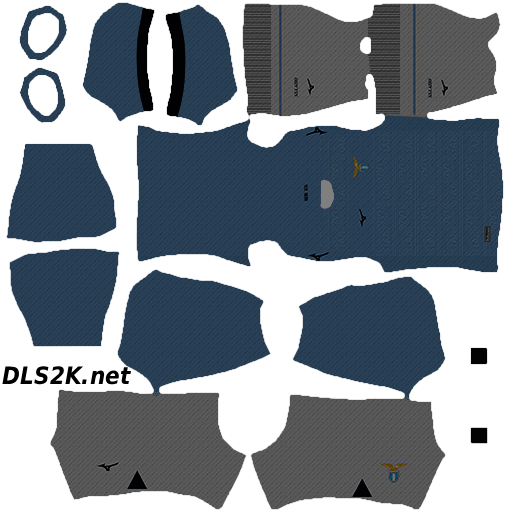

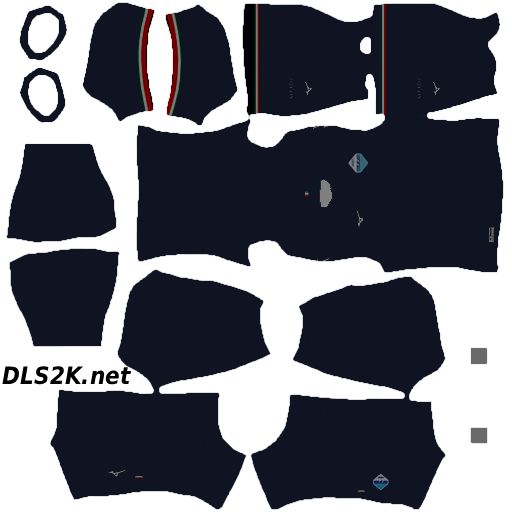


Lazio Dream League Soccer Kit Features
This Lazio Dream League Soccer kit is designed specifically for use in DLS, with a clean image that remains sharp when displayed on different screen sizes. The 512×512 format is also widely used for custom Dream League Soccer uniforms.
The main features include:
- 512×512 resolution
- PNG kit format
- High-quality image
- Lazio-inspired colors and design
- Lazio crest/logo
- Home kit
- Away kit when available
- Third kit when available
- Goalkeeper kit when available
- Suitable for recent Dream League Soccer versions
- Easy URL-based installation
- Free kit download
The Lazio logo and crest can also be combined with the appropriate DLS uniform to create a consistent team setup. If you are customizing several parts of your squad, matching the kit and logo is an easy way to improve the overall appearance.
Lazio Home, Away and Goalkeeper Kits
A complete DLS setup can include more than just the main Lazio football kit. Depending on the available designs, you can choose between home, away, third and goalkeeper uniforms.
The home kit is ideal if you want the most recognizable Lazio appearance, while the away or third kit gives you another option for your customized team. A goalkeeper kit can also be used when available to make the squad feel more complete.
Each kit is provided as a PNG image prepared for Dream League Soccer, so there is no need to manually resize the file before importing it.
How to Import the Lazio Kit into Dream League Soccer
Importing a custom DLS uniform is quick and does not require complicated editing. The names of some options can change slightly between game versions, but the general process is straightforward:
- Open Dream League Soccer.
- Go to My Club.
- Select Customize Team.
- Open Edit Kit.
- Choose the option for downloading or importing a kit.
- Paste the Lazio kit URL into the provided field.
- Confirm the download and save your new uniform.
Make sure the complete kit URL is copied before pasting it into the game. Once Dream League Soccer loads the image, the new uniform should be available for your customized team.
Why Download This Lazio DLS Kit?
Using a custom Lazio uniform is a simple way to make your team look more realistic without creating a football kit from scratch. A well-prepared PNG also helps the design remain clear when you are playing on an HD display.
There are several practical reasons to use this kit:
- More authentic team appearance
- Clean and sharp graphics
- Lazio-inspired football design
- 512×512 HD image quality
- Easy copy-and-paste installation
- Free access
- No complicated editing required
- Works with the game’s custom kit system
For players who enjoy building realistic club teams in DLS, having the right uniform can make the experience more immersive. You can also pair the kit with a matching Lazio logo or crest to complete the look.
Download the Lazio kit for Dream League Soccer 2026, copy the kit URL, and import it into your team. Once installed, you can enjoy a cleaner and more authentic Lazio look while exploring more DLS kits available on the website.