
If you want to give your Dream League Soccer team a Vancouver-inspired look, this DLS kit is an easy place to start. The kit is available as a free download and is prepared for use in Dream League Soccer 2026, with a clean design that works well as a custom football uniform.
The kit uses the familiar 512×512 PNG format used for DLS custom kits. Instead of creating the uniform yourself, you can simply copy the kit URL and paste it into the game’s import option. That makes the whole process quick, even if you have never installed a custom kit before.
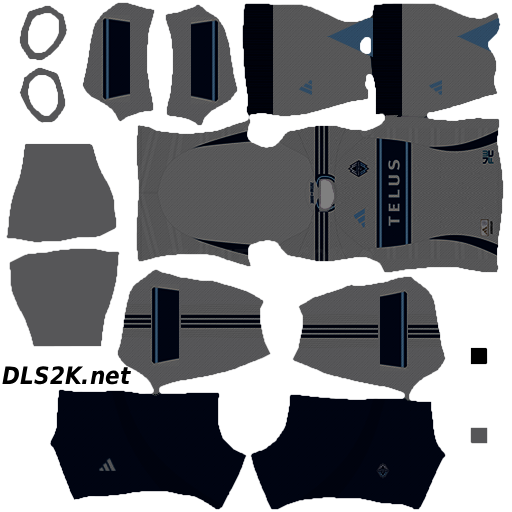
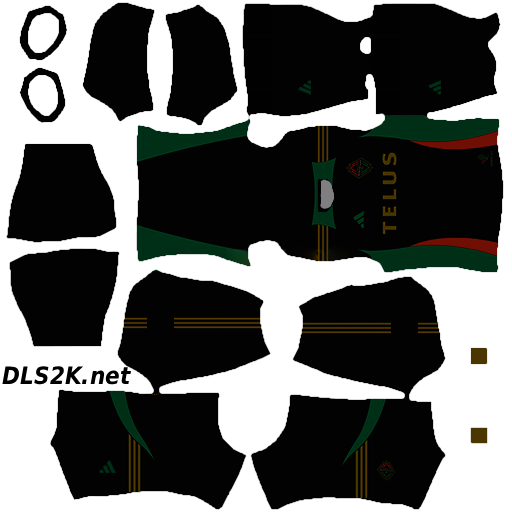

Vancouver Dream League Soccer Kit Features
This Vancouver DLS kit focuses on a clean presentation and the visual elements that make a custom soccer uniform look convincing in-game. The PNG image is sized at 512×512, helping maintain good clarity when the kit is displayed on your players.
Depending on the available kit designs, you may find different versions for your squad, including home, away, and goalkeeper uniforms.
Main features include:
- 512×512 resolution
- PNG format
- High-quality kit graphics
- Vancouver-inspired colors and design
- Team crest or logo
- Home kit
- Away kit when available
- Third kit when available
- Goalkeeper kit when available
- Suitable for recent Dream League Soccer versions
The crest is an important part of any DLS uniform because it gives the team a recognizable identity during matches. Combined with the kit design, it helps your customized squad feel less like a generic team and more like an actual football club.
Vancouver Home, Away and Goalkeeper Kits
Having several uniform options can make a difference when customizing your team in DLS. The home kit gives you the main Vancouver look, while an away or third kit can be useful when you want a different appearance for certain matches.
A goalkeeper kit is another useful addition if you want the entire squad to have a coordinated setup. When multiple designs are available, you can choose the combination that best suits your team.
The goal is not simply to change the shirt. A good DLS kit should also look clean on the pitch, keep the crest recognizable, and maintain sharp details without unnecessary visual clutter.
How to Import the Vancouver Kit into Dream League Soccer
Once you have the Vancouver kit URL, importing it takes only a few steps:
- Open Dream League Soccer.
- Go to My Club.
- Select Customize Team.
- Open Edit Kit.
- Choose the option for downloading or importing a kit.
- Copy and paste the Vancouver kit URL.
- Confirm the download and save the new uniform.
The exact wording or location of the options can differ between DLS versions, but the basic process is the same. You need the complete kit URL so the game can access the PNG image correctly.
After importing the uniform, check it in the team customization screen. This is a good way to make sure the kit has loaded correctly before heading into a match.
Why Download This Dream League Soccer Kit?
A custom Vancouver uniform can give your DLS team a more distinctive appearance without requiring you to design everything from scratch. For players who regularly customize their squads, using ready-made PNG kits is one of the easiest ways to change the visual style of a team.
The main advantages are:
- More realistic team appearance
- Better immersion during matches
- Clean, sharp graphics
- 512×512 DLS-ready format
- Good quality on HD screens
- Easy URL-based installation
- Free kit access
- No manual uniform design required
The 512×512 resolution also makes the kit practical for Dream League Soccer. With the correct PNG format and a compatible URL, you can add the design directly through the game’s customization system.
Download the Vancouver kit for Dream League Soccer 2026, import it with the kit URL, and give your team a fresh football uniform. You can also explore more DLS kits, logos, and custom uniforms to build a complete collection for your squad.